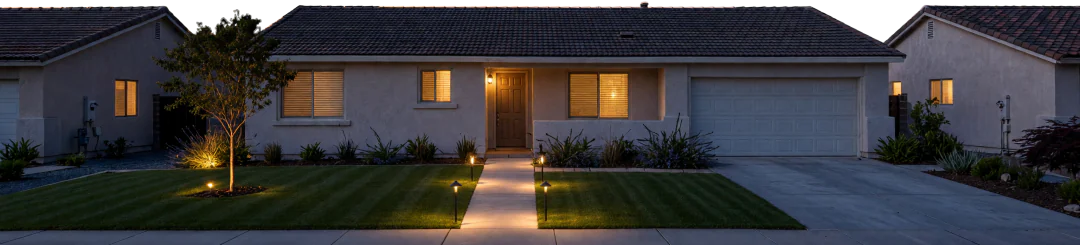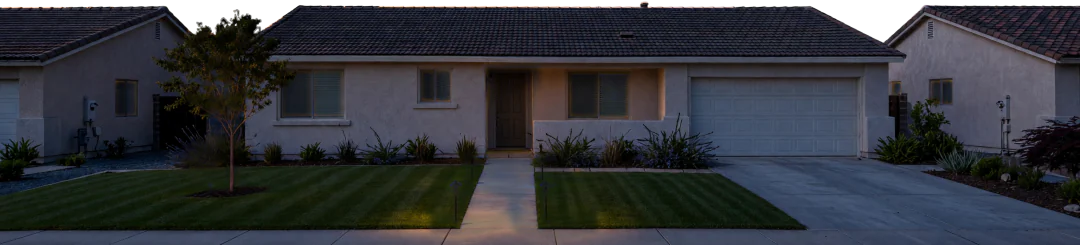
Do landscape lights need resetting when the clocks fall back in Vacaville?
Eco Scapes·Updated

The short answer
It depends on the timer. In Vacaville, clocks fall back at 2 a.m. on Sunday, November 1, 2026, and sunset moves from 6:10 p.m. on October 31 to 5:09 p.m. the next evening. A dial timer won't follow that and needs resetting. An astronomical timer or a photocell adjusts on its own.
Whether your landscape lights need resetting after the time change depends on what switches them on. Daylight saving time ends at 2 a.m. on Sunday, November 1, 2026, according to NIST, when the clock goes back to 1 a.m. and that hour repeats. A timer that only counts hours doesn't know that happened. A timer that knows where your house is, or a sensor that reads the daylight, does.
In Vacaville the change is easy to see in the sunset times. A sunrise and sunset table for the city puts sunset at 6:46 p.m. on October 5, 6:10 p.m. on October 31 and 5:09 p.m. on November 1. That's more than an hour and a half of earlier darkness in four weeks, and a full hour of it arrives overnight.
What happens to landscape lights when daylight saving time ends?
A dial timer keeps running on the old time, so after November 1 its clock is an hour ahead of yours. If the dial says the lights come on at 7:00, they now come on at 6:00 by the kitchen clock, and an 11:00 off time becomes 10:00. Lights that went off at bedtime in October start going off while you're still up.
The bigger gap usually comes from the season, not the clock change. A timer set back in summer, when it stayed light well into the evening, can leave the front walk dark for an hour or more every October night. That's the porch step and the side path you use when you take the bins out.
Which landscape lighting timers adjust themselves for daylight saving?
Look inside the box next to the transformer, or at the transformer's face. These are the controls you're likely to find there.
| Control | How it decides when to switch | After November 1 | | --- | --- | --- | | Dial timer with pins | Its own 24 hour clock and the pins you set | Needs resetting, and again after any power outage | | Digital timer with a clock | A programmed clock time | Check its manual for a daylight saving setting; if it has none, reset it | | Astronomical timer | Your location, to work out dusk and dawn each day | Adjusts on its own | | Photocell | A sensor that reads fading daylight | Adjusts on its own |
McKay Landscape Lighting describes the dial timer plainly: you turn the dial and set the pins, and you'll need to adjust it "as the season's change or if your power goes out." Its overview says an astronomic timer uses your location to find dusk and dawn and "automatically adjusts for Daylight Saving Time." Kichler's app support page says the same of its Smart Control Timer presets, which "align with your location, dusk-to-dawn, and adjust to daylight savings times."
A photocell has a trade-off. McKay notes it switches the lights on as daylight fades and off as it returns, and it can't be set for a particular time. If you want the lights off at midnight rather than at sunrise, a photocell needs a timer working with it.
How do I reset a dial timer for fall?
Set the time first, then the on and off pins. Landscape Lighting Guru's instructions for a dial timer are to rotate the dial clockwise until the correct time shows in the window in the middle.
For the on time, a pin a little before sunset is a sensible start: in Vacaville that's close to 5:00 p.m. in early November, and sunset keeps creeping earlier through the month. The off time is your call. Most people want the walk and the front door lit until they're inside for the night, and the yard dark after that.
If the dial timer lost its time in a storm last winter, it will again. The questions on our landscape lighting repair and maintenance page cover what to check when every light goes out at once: the outdoor outlet, the transformer's breaker and the timer.

Why are some lights out when the nights get longer?
Longer nights are when you notice them. A light that failed in June went unseen because the timer brought the system on after you'd gone in. The first week of earlier sunsets shows every dark fixture, every beam aimed at a shrub that grew over summer and every path light knocked crooked by a mower.
Walk the system once at dusk before November 1, while you still have time to sort it out before the long nights. Note which lights are out, which are dim and which point at nothing. One bad connection can take out every light after it on the same run, so a row of dark lights is usually one problem, not five.
Our lighting maintenance and LED upgrades covers that kind of repair, along with re-aiming fixtures and swapping old halogen bulbs for LED.
Should I replace a dial timer with an astronomical timer?
If you're resetting it twice a year and again after every outage, it's worth asking about. An astronomical timer follows sunset through the whole year on its own, and McKay recommends one for systems with more than one transformer so they all switch together.
Whether yours can take one depends on the transformer, how many fixtures it carries and how the system was wired. A lighting assessment and design visit looks at all of that. If the lighting itself is due for a rethink, low-voltage landscape lighting installation starts from the transformer and the timer, so the new system switches itself through the seasons. Our Vacaville lawn, sprinkler and lighting page covers everything else we do in town.
Before November 1
Open the transformer box and see which of the four controls you have. Write down the current on and off times. Then go out one evening this month at dusk and walk the lights with your phone, taking a picture of each dark or crooked fixture. If it's a dial timer, reset it the Sunday the clocks change. If it's astronomical or a photocell, just confirm the lights came on around that evening's 5:09 p.m. sunset.
Before you call.
Only if an astronomical timer or a photocell controls them. A dial timer runs on its own clock and has to be reset by hand after the clocks change on November 1, 2026, and after any power outage.
Sunset in Vacaville is at 5:09 p.m. on November 1, 2026, the day daylight saving time ends, and a little earlier each day after that. On October 31 it was 6:10 p.m.
A dial timer doesn't know daylight saving time has ended, so its clock runs an hour ahead of yours from November 1. Turn the dial clockwise to the correct time and the on and off times line up again.
Not by itself. A photocell switches the lights on as daylight fades and off when it returns, so a timer has to work with it if you want them off at a set hour.
Let’s look at your yard.
Carlos walks the property first, then quotes it free.
Call for a free quote(707) 803-9734